For teachers
Set tomorrow's exam tonight.
Build a printable exam paper on your phone. AI picks real past-paper questions or writes new ones from your notes, or you type the questions yourself.
- Writing your own paper is always free
- Your first paper from past papers is free
- Print it, or download the PDF
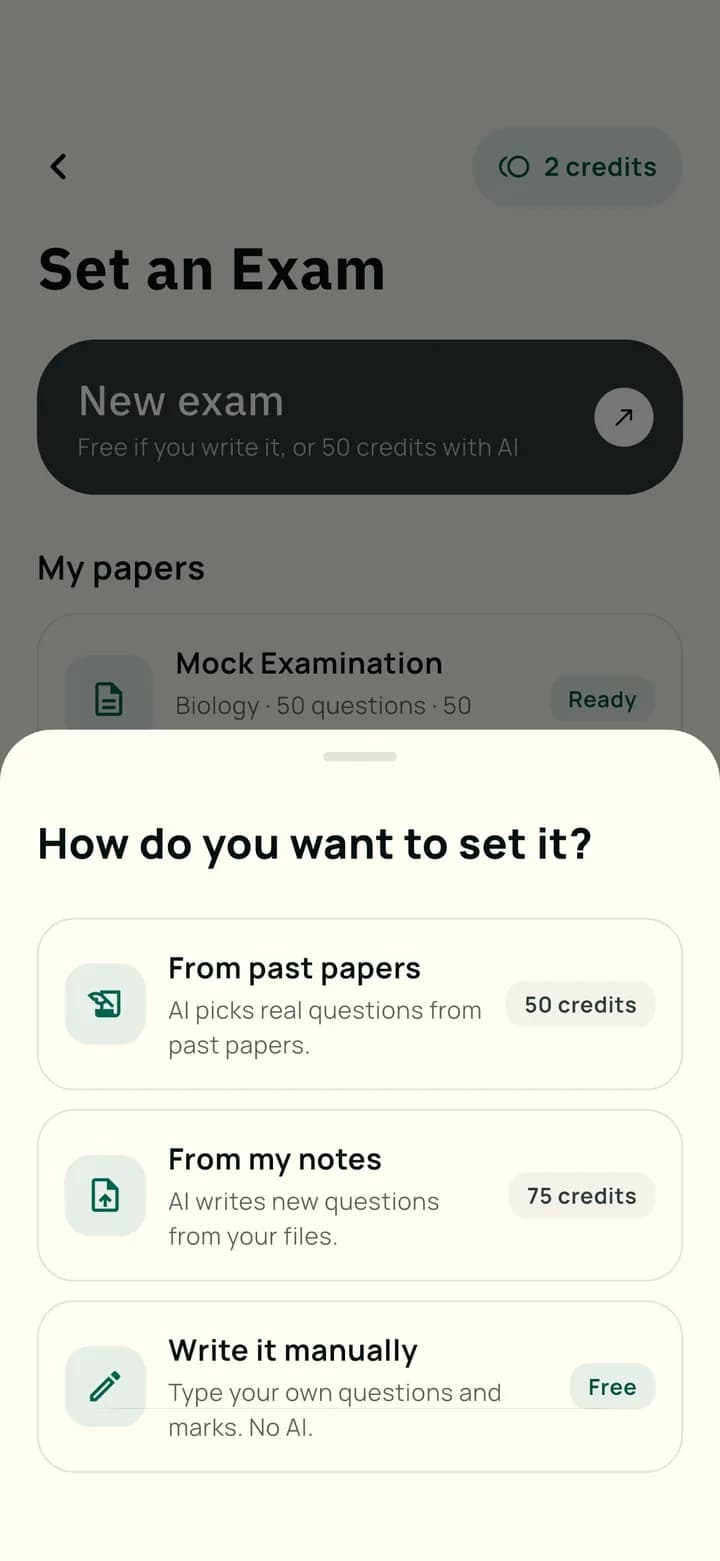
- From past papers
- From your notes
- Write it yourself
Three ways to set a paper.
Choose how to start. Whichever you pick, you can edit every question before you print.
- 50 credits · first one free
From past papers
AI picks real questions from GCE O and A Level past papers, across the years. Add topics, or leave them out and it picks from all of them.
- 75 credits
From your notes
Upload a PDF, a Word document or photos of your notes, and AI writes new questions from them. Questions come only from what you upload.
- Free
Write it yourself
Type your own questions and marks. No AI involved.
Question types
- Multiple choice
- Options A to D, 1 mark each.
- Structural
- Written answers, in parts.
- Hybrid
- Multiple choice, then structural.
From blank page to printed paper.
Three steps, all in the Lewah app on your phone.
Tell us what you need
Start from past papers, from your own notes, or write the questions yourself.
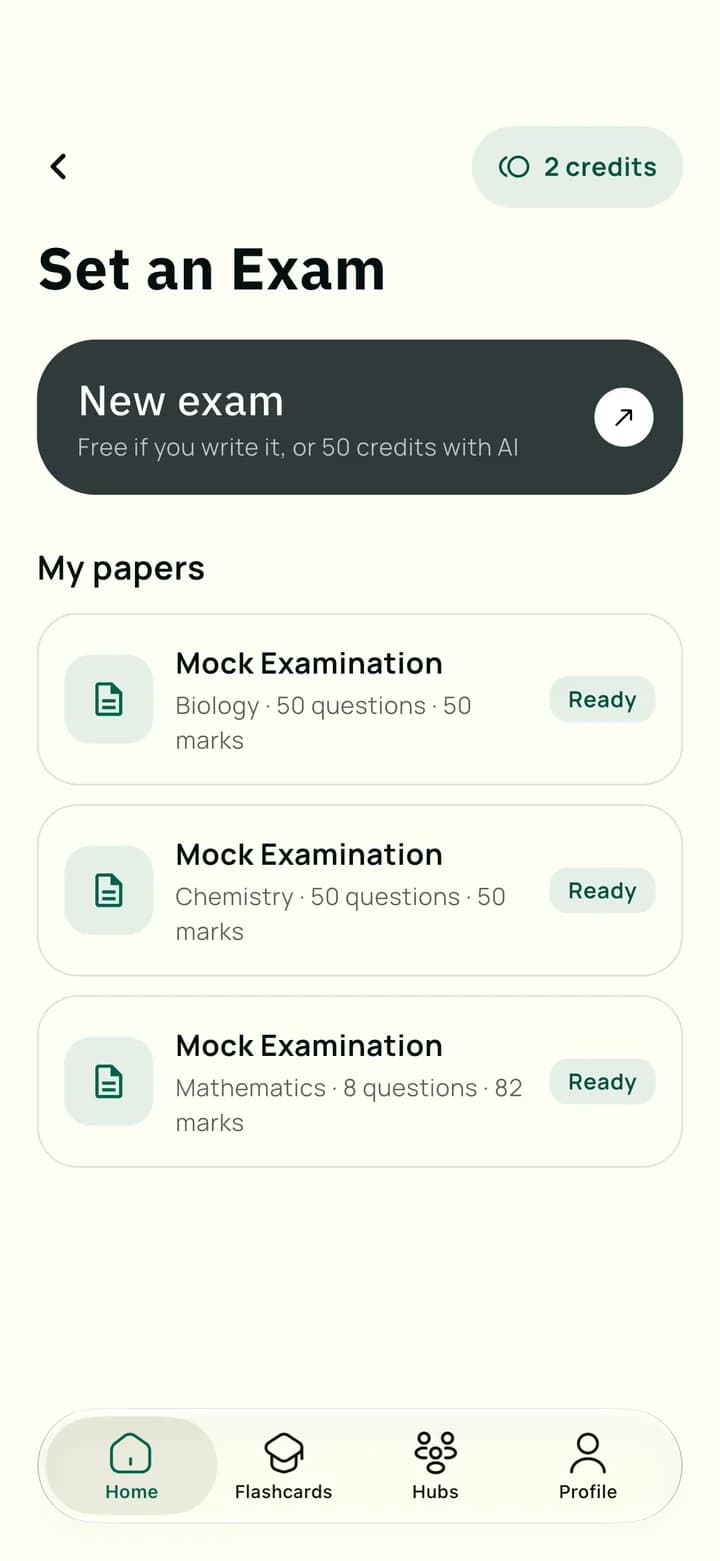
Let AI set the questions
Pick the level, subject and question type. AI picks past questions across the years, or writes new ones from your notes.
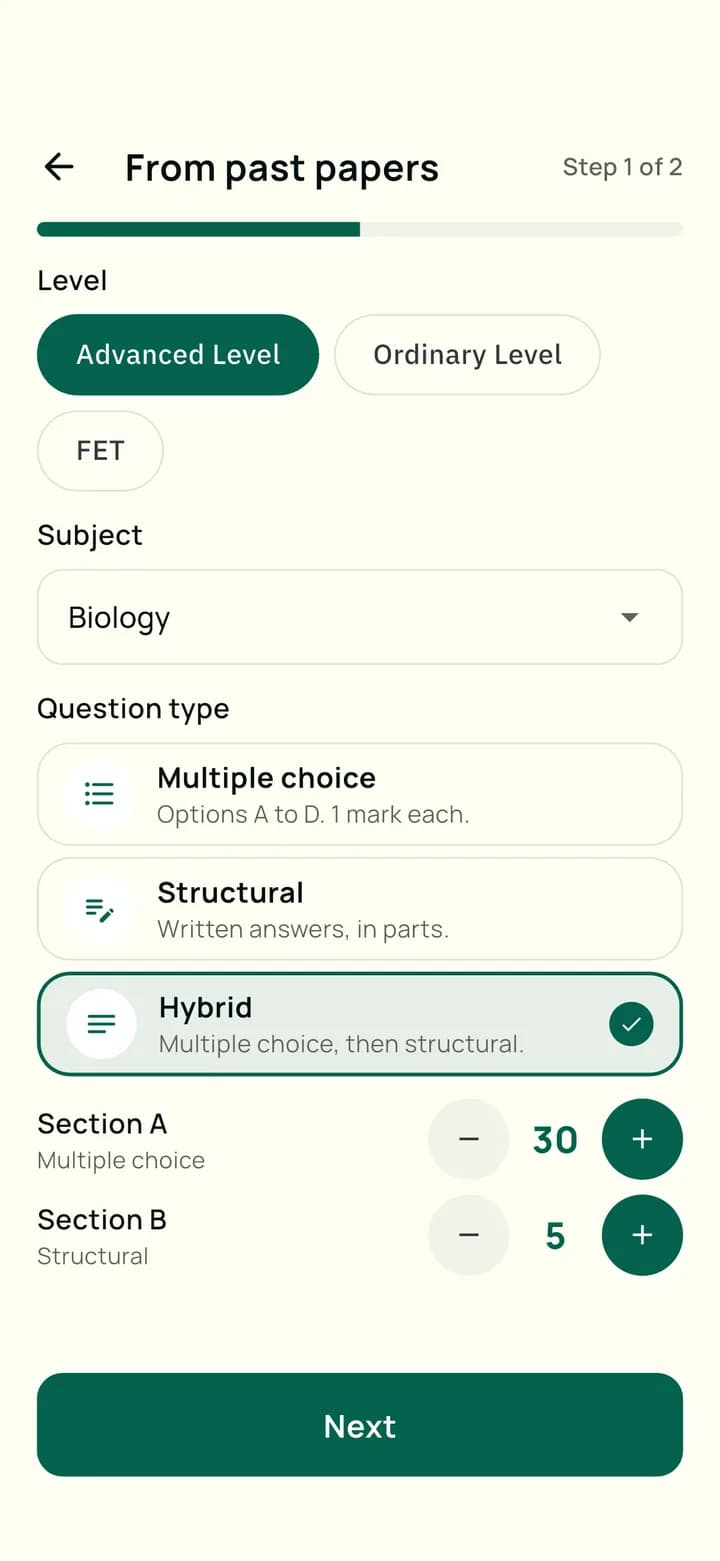
Edit, then print
Choose a template, add your school's name, adjust the marks and download the PDF.
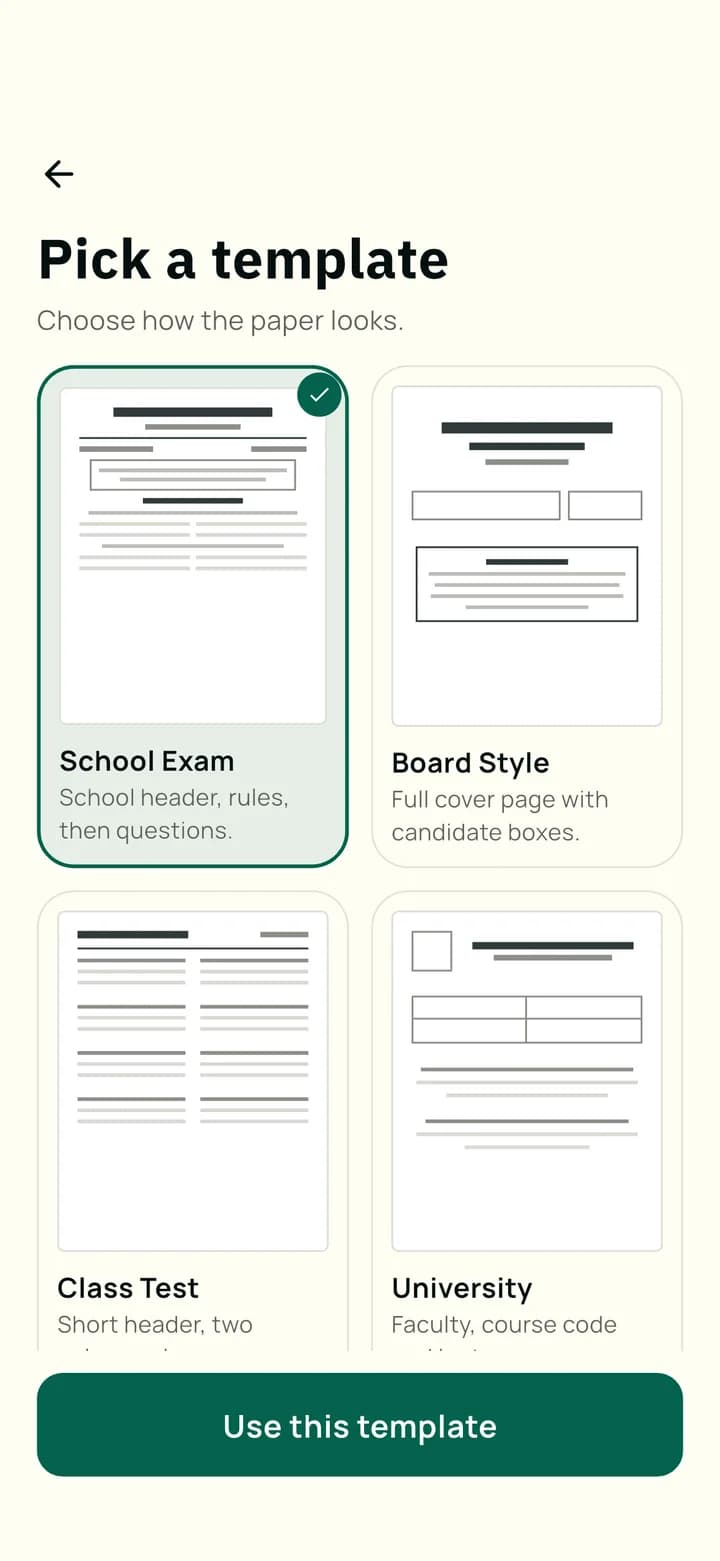
A paper with your school's name on it.
Pick a template, add your school's name and logo, and Lewah lays out the paper ready to print.
Templates
- School exam
- Board style
- Class test
- University
- Your school's name and logo print at the top, and Lewah remembers them for next time.
- Change or delete any question, and set marks one by one or all at once.
- Download the paper, plus a separate answer key just for marking.
- AI can get things wrong: check each question and answer before you print.
YOUR SCHOOL'S NAME
First Term Test
Mathematics · Form 5 · 1 hour
Name
Class
SECTION A · MULTIPLE CHOICE
1. p and q are non-zero vectors and p · q = 0. The angle between p and q is (1 mark)
- A. 0°
- B. 45°
- C. 90°
- D. 180°
Pay only for AI papers.
Writing your own paper is always free, and so is your first paper from past papers. After that, an AI paper uses 50 credits from past papers, or 75 from your notes.
Free
0 XAF
- Papers you write yourself, always
- Your first paper from past papers
+ 20 free credits when you sign up
Credit packs
Starter Pack
100 credits · up to 2 papers from past papers, or 1 from your notes
600 XAF
6 XAF per credit
Casual User
300 credits · up to 6 papers from past papers, or 4 from your notes
1,500 XAF
5 XAF per credit
ProBest value
700 credits · up to 14 papers from past papers, or 9 from your notes
3,000 XAF
≈ 4 XAF per credit
Credits are held when your paper starts and returned if it fails. Buy credits in the app with MTN MoMo or Orange Money.
Get the appQuestions from teachers.
LEWAH · FREQUENTLY ASKED QUESTIONS
Read all questions. Time allowed: 2 minutes.
What does it cost to set a paper?
Writing your own paper is free. Your first paper from past papers is free too. After that, AI uses 50 credits for a paper from past papers and 75 for one from your notes. Everyone gets 20 free credits when they sign up.
Which notes can I upload?
PDFs, Word documents and photos of your notes (JPEG or PNG), up to 12 MB each. You can also paste text. Questions come only from what you upload, so you don't choose a level or subject.
Which levels and subjects are covered?
From past papers: GCE Ordinary Level and Advanced Level, by subject. From your notes: whatever your notes cover.
Can I change the questions AI picks?
Yes. Edit or delete any question, and set marks one by one or all at once. Your changes only affect that paper.
Can I put my school's name on the paper?
Yes. Add your school's name and logo once. They print at the top of the paper, and Lewah remembers them for next time.
What if a paper fails?
Credits are held when your paper starts and returned if it fails.
Your first paper in three steps.
- Get the app. It's free on Android and iPhone.
- Open Set an Exam and choose how to set it.
- Edit the paper, then print it or download the PDF.
